

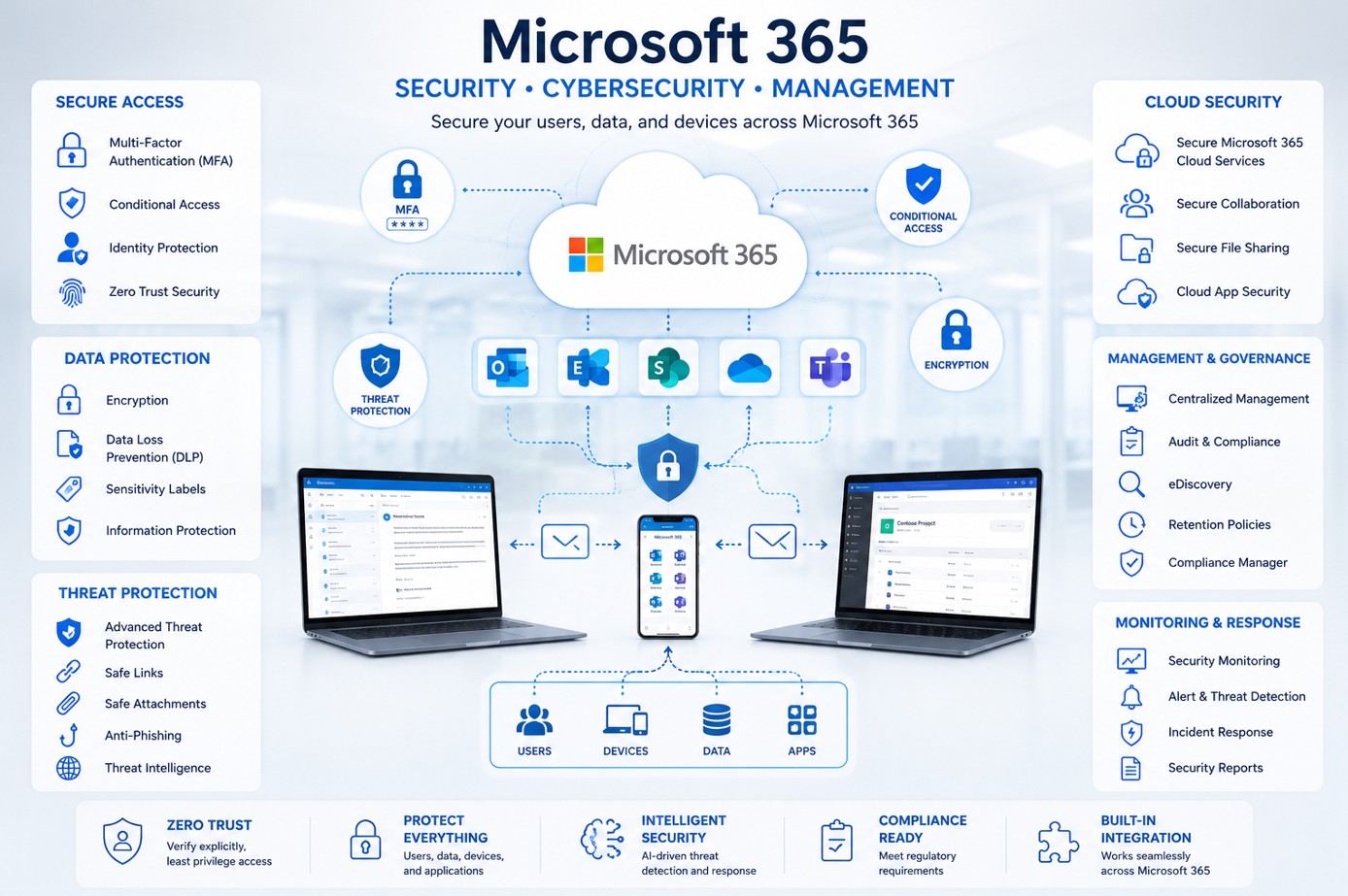
Microsoft 365 Security Assessment: What Businesses Should Check in 2026
A practical framework for reviewing identity, access, email, endpoints, collaboration and governance—then turning technical findings into a clear, prioritized security roadmap.
Secure Your Microsoft 365 Environment
Get clear findings, practical recommendations and a roadmap your team can act on.
Talk to an ExpertWhy Microsoft 365 Security Needs Regular Review
Microsoft 365 environments change constantly. Users join and leave, permissions expand, devices connect, external collaboration grows and new applications are introduced. A configuration that was acceptable last year may no longer reflect today’s security needs.
Reduce Risk
Identify configuration weaknesses and exposure before they become incidents.
Protect Data
Review controls that protect sensitive business information and collaboration data.
Strengthen Access
Confirm the right users have the right level of access with suitable safeguards.
Improve Posture
Turn findings into an achievable improvement roadmap instead of disconnected fixes.
Nine Areas a Microsoft 365 Security Assessment Should Review
A useful assessment should evaluate the technical controls that matter most and connect those findings to practical business risk.
Microsoft Entra ID
Review authentication methods, inactive accounts, guests, privileged identities and legacy authentication exposure.
MFA Coverage
Verify who is protected by multi-factor authentication and where exclusions may create unnecessary risk.
Conditional Access
Assess policies, exclusions, emergency access accounts and risk-based access decisions.
Administrator Roles
Identify privileged role holders, unnecessary permanent access and administration gaps.
Microsoft Secure Score
Use Secure Score as a source of improvement opportunities and prioritize actions by business impact.
Microsoft Defender
Review available protection across email, identity, endpoints and cloud applications based on licensing.
Email & Sharing Security
Evaluate anti-phishing, suspicious forwarding, guest access and external sharing across Teams, SharePoint and OneDrive.
Intune & Devices
Review enrollment, compliance, configuration policies and protection for managed and unmanaged devices.
Governance
Review ownership, joiner-mover-leaver processes, external access reviews and change governance.
What Should You Receive From an Assessment?
Decision-makers need more than a spreadsheet of settings. A useful assessment should translate technical observations into a clear path forward.
Executive Summary
Key risks and business-level observations leadership can understand.
Technical Findings
Documented configuration gaps and evidence from the areas reviewed.
Prioritized Roadmap
Recommended actions organized by urgency, impact and practical effort.
Review Session
A discussion of findings, priorities, dependencies and next steps.
Know Where Your Microsoft 365 Security Stands
Start with a structured review and receive a clear, prioritized roadmap for improving your Microsoft 365 security posture.
Book an Assessment →Where Should a Business Start?
If your organization is unsure how securely Microsoft 365 is configured, an assessment is often a better first step than making isolated changes. It creates a baseline, identifies the highest-value improvements and provides a roadmap your internal team or external consultant can follow.
NOAVAXIS provides a focused Microsoft 365 Security Assessment covering identity, MFA, Conditional Access, privileged access, Secure Score, Microsoft Defender considerations, collaboration security and prioritized recommendations.
For organizations that need ongoing administration and continuous security improvement afterward, explore our Managed Microsoft 365 Services. You can also review our Microsoft 365 consulting services for broader tenant, identity, collaboration and modern workplace support.
Microsoft 365 Security Assessment FAQs
How often should Microsoft 365 security be reviewed?
A regular review is useful whenever identities, devices, licensing, collaboration patterns or security requirements change significantly. Many organizations also use periodic assessments to maintain a clear security baseline.
What areas should a Microsoft 365 security assessment cover?
The review should cover identity, MFA, Conditional Access, privileged roles, Secure Score, Defender capabilities, email and sharing controls, endpoints and governance.
What should happen after the assessment?
Findings should be prioritized into practical actions based on risk, business impact and implementation effort, giving the organization a roadmap rather than a disconnected list of settings.